

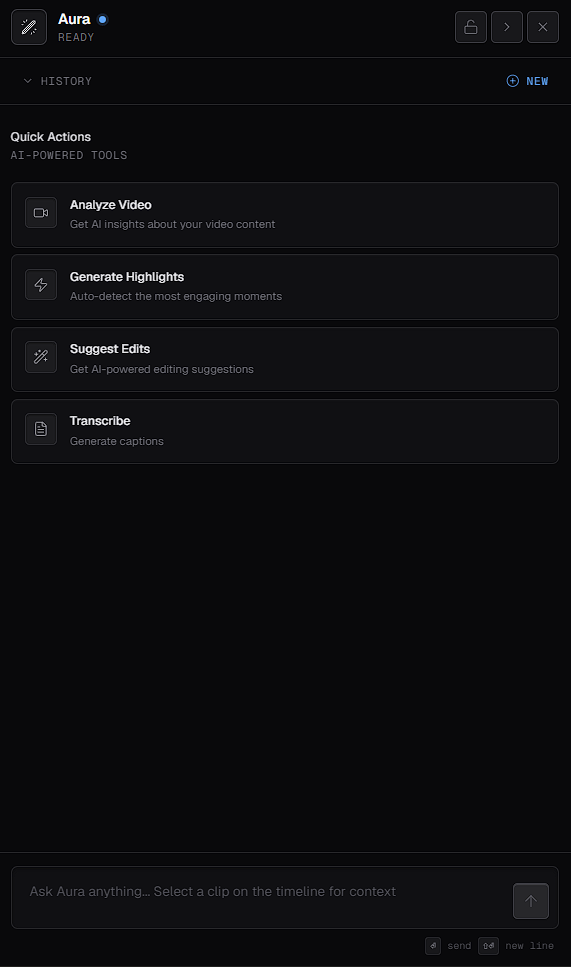
Quick Actions
Ask Aura in your own words
Type a request or question in the prompt field at the bottom of the panel. As the field suggests, you can select a clip on the timeline first to give Aura context about it.Analyze Video
1
Request an analysis
Select the Analyze Video Quick Action, or ask Aura to analyze your video.
2
Start the analysis
Aura may show a processing state at first. When the analysis is ready, select Start Analysis.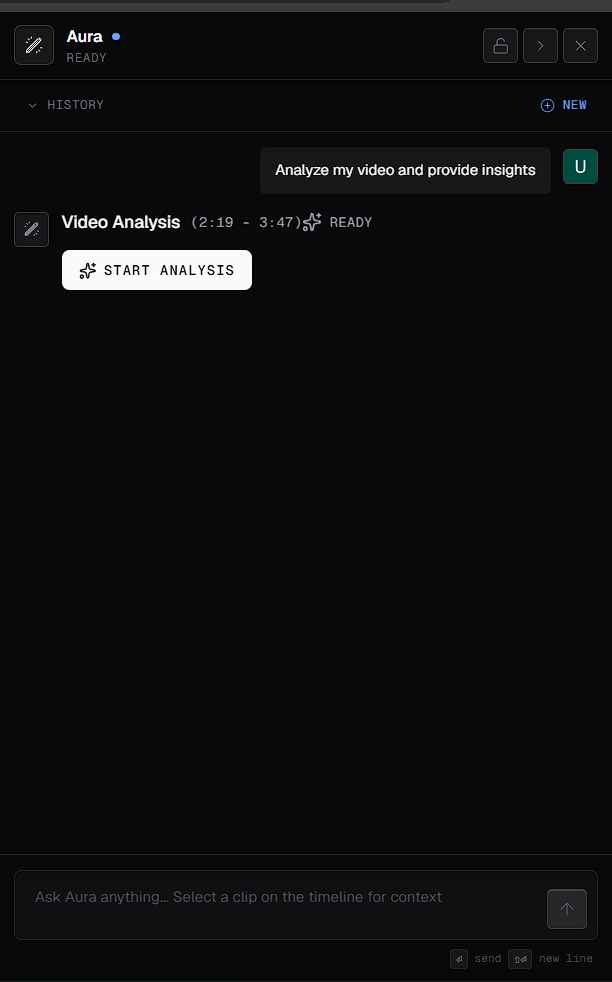
3
Read the results
When the analysis is complete, Aura shows a structured result with insights about your video.
Generate Highlights
1
Ask for highlights
Select the Generate Highlights Quick Action, or ask Aura to find the most engaging moments in your video.
2
Review the proposal
Aura presents a highlight-reel proposal that describes what it will do. The proposal also shows an estimated time and an expected impact. These are estimates, not guarantees.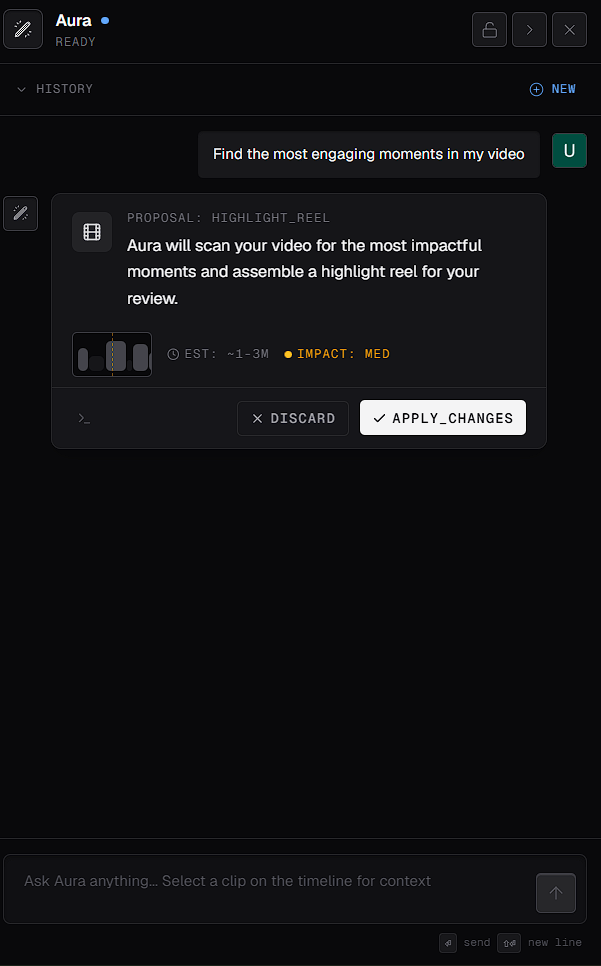
3
Apply or discard it
Select Apply Changes to go ahead, or Discard to cancel.
Suggest Edits
Aura reviews your video and creates an edit plan. You choose which suggestions to apply. See Suggest edits with Aura.Transcribe
Select the Transcribe Quick Action to generate captions for your video. Captions sit on the Captions track of the timeline. To work with them, see Captions properties.Clean up silences
Aura can find silent sections in your audio and help you remove them. For each silent section it finds, you can choose:- KEEP to leave the section in your video
- REMOVE to cut it out